
How should a design team adopt AI tooling?
Generative AI prototyping tools were arriving every other week (Lovable, Claude Design, Figma Make, Cursor with the Figma MCP). I lead a small team of three designers, and we were all forming opinions in private: some keen, some sceptical, with no shared benchmark and no shared verdict. Whoever was most enthusiastic that week drove the choice, nobody built up any shared knowledge, and from the outside leadership just saw scattered tool use.
Lovable was the one getting expensive. Its ‘$200/month’ plan worked out at about double that once you factor in tier-climbing and credit top-ups, on a single account, in a few weeks. The vendor was locked in, the code export wasn’t usable, there was no Vue support, and the engineers were already screenshotting Lovable output into Claude Code to build the real thing. We were paying premium prices for pictures of an app.
Test tools on real projects where designers own the adoption
I wasn’t going to pick a winner off vibes, and I wasn’t going to run a controlled ‘bake-off’ either. A prescriptive test only tells you which tool makes the prettiest screen in a vacuum and misses how it works in the messy practice of real design. I wanted to know whether AI prototyping changed the actual conversation with stakeholders, executives, and engineering.
The pull was already there before I did anything. One of our stakeholders had used Lovable to connect several project briefs together, off their own back. So instead of mandating it, I put it on trial: the tiger team I set up (a designer and an engineer working to one goal) became a controlled place to test whether continuing with Lovable held up, on a live project with a real PRD and a fixed ship date.
What I tracked wasn’t ‘does it look nice’. It was the stuff that shows up on a budget line and a sprint board.
MCP input reduces friction, AI design output increases stakeholder engagement
One thing I found my team and I were repeatedly doing was copying and pasting the PRD content into whatever prototyping tool we would use, which took up a lot of the chat interface and often had some copy/paste-introduced malformed content (especially if tables are involved). There had to be a better way.
I had been using ClickUp’s MCP with Claude Code for a while to pull data for analysis as well as to write documentation and push it back and, as a result, I knew that any tool with a connector for ClickUp could shortcut the route we were taking.
We want our tools to be connected. We don’t want to be doing manual work; that is not where our value lies. Things that are repeatable and automate-able should be done by machines. We need to get to the value as fast as possible. Value in this case is an artefact that stakeholders can rally around, comment on, discuss, or reject. There’s no sense spending huge amounts of time and context switching to generate an output that a designer is going to want to riff on anyway.
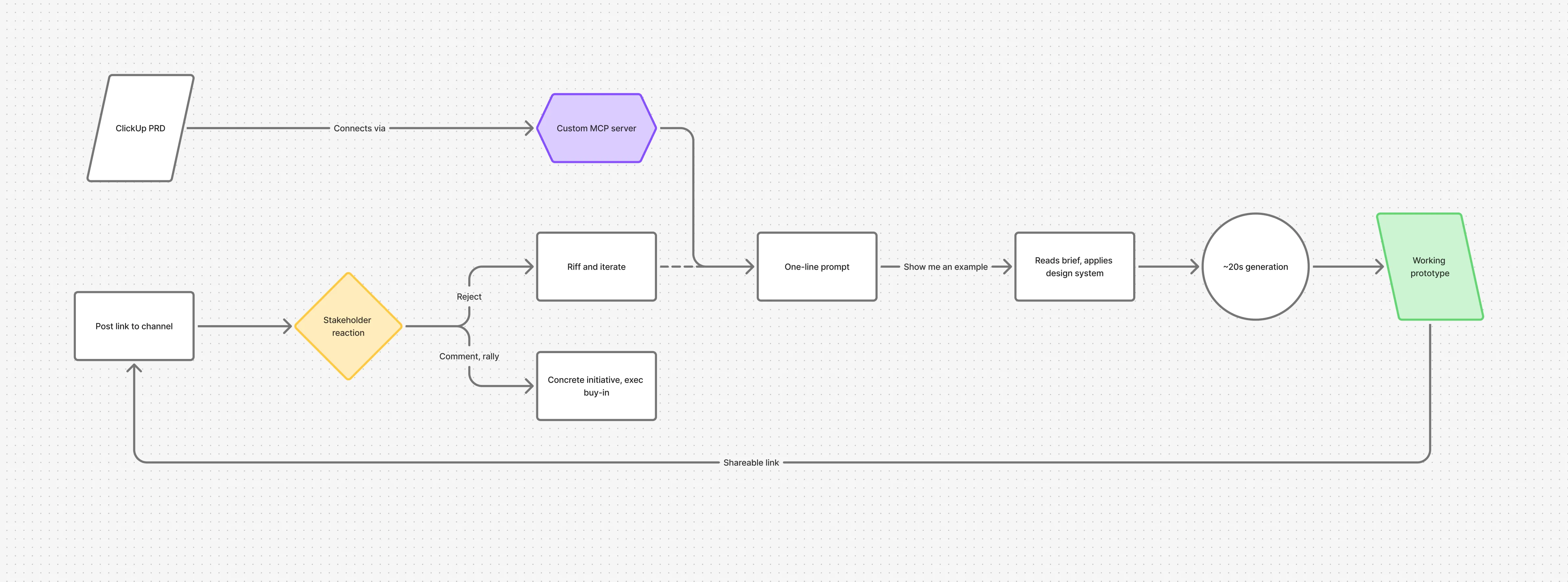
The ClickUp PRD directional prototype is as simple as possible:
- Copy a ClickUp document link
- Paste it into Lovable
- “Show me an example of what this could look like”
It reads the brief, applies the design system, and creates a shareable link that can be viewed by anyone in the team.
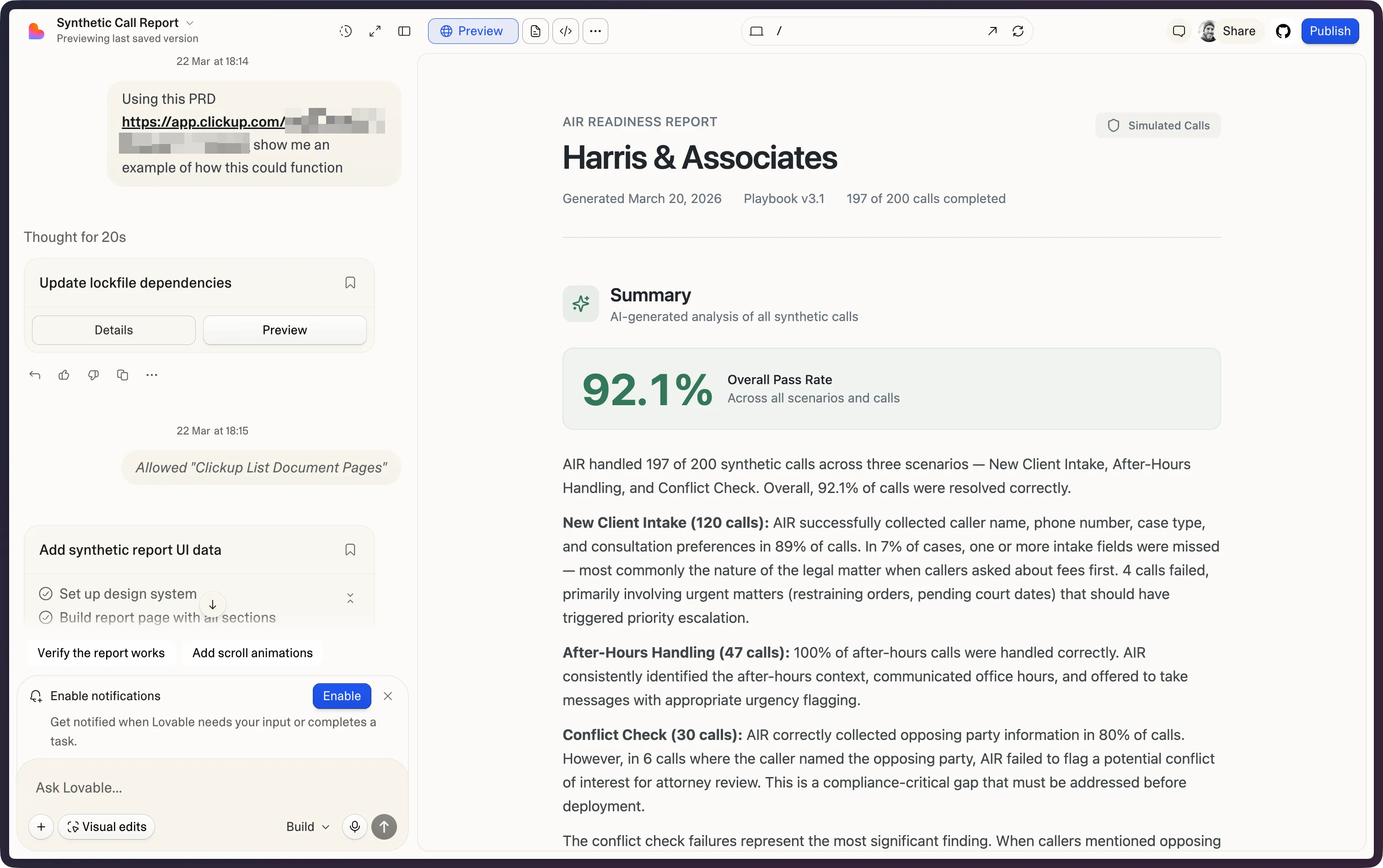
A real one-shot from a ClickUp PRD: the prompt on the left, the generated readiness dashboard of simulated call results on the right.
The first time I used it, I pointed it at a live PRD and got a working dashboard of simulated call results from a single prompt. I posted the link to a shared channel to see what questions came up.
Working prototypes changed how leadership engaged
The strongest reaction came from leadership. The same day they asked for a market segment blueprint in our Q2 planning, I sent a senior executive a legal dashboard one of my designers had built in Lovable, and he replied ‘WOW, I’m in love’. A document had never got that out of anyone at the exec level.
Within days most of the exec team were commenting on details they’d never have engaged with before and rallying around an initiative that was now concrete; even if directional in nature.
Tool reviews became a weekly team ritual
If leadership would engage with one prototype like that, the team’s wider tool work deserved the same visibility. I added a 15-minute rotating review slot to the weekly Show and Tell. A different designer leading each week so all three rotated through.
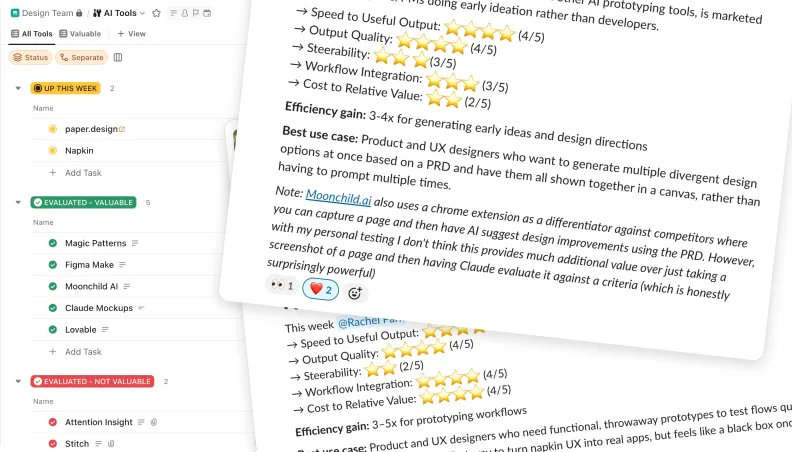
The stipulation was that they needed to use the tool as part of a real project or work need. Each review scored the tool on the same five things:
- Output quality
- Steer-ability
- Speed to value
- Workflow integration (e.g., export to Figma)
- Price-to-value
We needed tools to be comparable over time instead of judged on vibes, and each one was captured as a short Loom for anyone who missed it and posted cross-functionally so others could learn about the tools and where they were useful.
They became part of monthly leadership reporting instead of a design-team chore.
Where it breaks
What we discovered quickly is that we needed to evaluate tools across multiple different use cases and at different parts of our design process, including handoff and QA.
I applied the same design thinking usually reserved for outward-facing elements, inwards, to our own process. It became evident instantly that engineers were really unhappy with how they were working with Lovable but the speed of the project meant there was never an opportunity to raise the issue.
They assumed everyone knew it was sub-optimal and that it was a conscious decision to continue. This is where I add value. I build the systems designers operate in, so I need to be damn sure nobody is wasting their own time or my team’s time.
Once the handoff bundle is something Claude Code can consume directly, engineering, design-review, and QA time should all come down. However, there’s a long way to go for Claude Design to do this seamlessly; we still need to download a zip file of code.
The next opportunity for AI design tools
We dropped Lovable to a cheaper plan and topped up credits as needed. We moved the three designers onto Team Premium for Claude Design but the generative AI design for this project was over. The cost of direct manipulation via text inverts the value to time proposition that we gained for early exploration and rapid iteration.
The squad collectively agreed to go back to Figma for the final pass for more fine-grained control and better engineering handoff.
This is actually a huge opportunity for Lovable to have a much deeper connection with external AI coding agents and to focus on direct manipulation of elements.
Read more about my thoughts on the future of design tooling →