
Today’s AI design tools won’t be the tool designers use in 2027
The current generation (v0, Lovable, Bolt, Figma Make) are chat-driven single-preview pipelines. They generate code from a prompt and show you one result. They lack the spatial reasoning, direct manipulation, and contextual awareness designers actually rely on to do work. Impressive demos. Not the tool designers need to match the output gains of engineers.
The next generation will collapse design and code into one artefact, on an infinite canvas. Designers will manipulate that artefact directly (by voice, by drag, by inspector), and chat will live inside the context instead of beside it. The tool will arrive pre-loaded with a team’s design system, generate production code as the design itself, and hand work off to background agents that continue without supervision.
Direct manipulation need to be a first class object
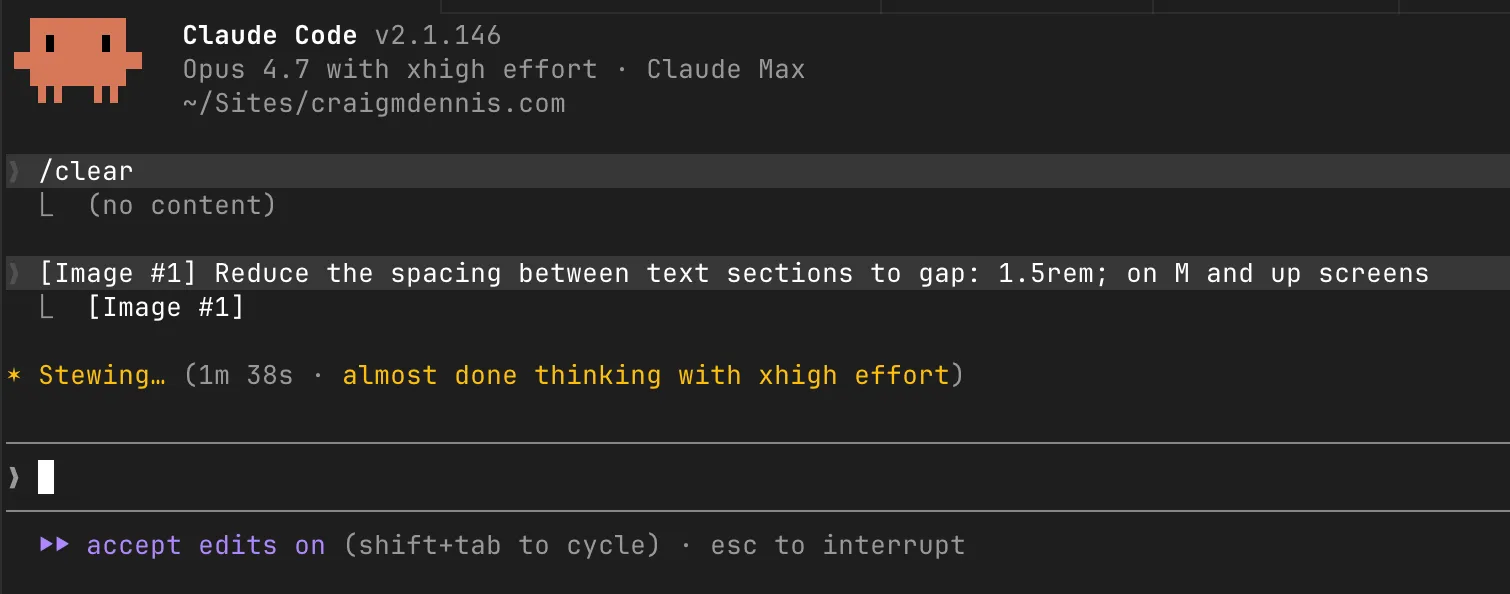
Reducing spacing between two elements should not take minutes, require a screenshot, and giving the specific values. This is just absurd and yet it is what designers face with a lot of tools right now.
Three things have converged
- Code generation is now good enough to be the design. Frontier models produce React/Tailwind/component-library code that respects design systems when given the right context. The gap between mockup and production code has closed enough that maintaining both is ‘busy work’.
- Designers are losing ground to engineers. Cursor and Claude Code give engineers a productivity multiplier designers don’t yet have. The asymmetry shows up in who ships product changes and who waits.
- Existing AI design tools have ceilings. Single-preview UIs work for one-shot generation. They fall over the moment you need to compare flows, juggle states, or iterate on a whole system. The infinite canvas is how designers actually think.
What separates the future design tool from today’s?
1. Design and code converge to one artefact
The tool produces production code and treats it as the design. There is no ‘handoff’. The Figma-to-code translation tax (the lossy export, the redlines, the “make it look like the design” loop) goes away. The design is the code.
This forces some hard decisions. The code has to be readable enough to inspect, structured so direct manipulation maps to it without surprises, and stable enough that an AI edit doesn’t shred the file. Which stack to support first is a tactical question. The real question is whether the abstraction between canvas and code is the right one.
2. Infinite canvas
A canvas where each frame is a real, running page. Scrolling, hover, viewport sizing, responsive breakpoints, real fonts, real assets. Everything the browser does, because it is the browser.
It’s also freeform. Pages are one kind of thing on the canvas, but so are components, fragments, variants, flows, and half-built things that may never become pages. The canvas is a workspace. Spatial relationships between things carry meaning, the way they do in Figma today.
This is the biggest miss across current tools. v0, Lovable, and Figma Make show you one preview at a time, with no canvas behind them. Figma has the canvas but keeps the design (not the code) as the artefact. The opening is a true infinite canvas where every artefact is live and code-backed, and the designer works across the whole surface freely.
3. Dynamic inspectors
A right-rail inspector that’s context-aware. Selecting a button shows different properties than selecting a flow or a system component. The fields expose the actual underlying code variables (tokens, props, variants) in a directly editable form. No prompt required for things that should be a number input.
The principle is simple. AI handles intent; the inspector handles precision. Telling an LLM “move it 8px to the right” is a productivity disaster. A number field is a productivity superpower. We describe the location of things today because the tools force us to. We shouldn’t have to.
4. Freeform direct manipulation
The whole canvas is workable. There’s no separate scratch zone in the corner. Sketch a button, generate a variant, doodle a layout, drag what works into a flow when you’re ready. This is how designers actually work. Lots of half-formed things drifting around the canvas, the good ones get adopted, the rest stay on the side.
Direct manipulation (drag, resize, snap, align) works on every element. The AI is one input mode of several, sitting alongside drag and click. Autolayout-equivalent behaviour gives elements real layout intelligence, so manipulation produces clean code underneath instead of absolute-positioned chaos.
5. Voice as input
Voice is faster than typing for intent. A designer working hands-on with the canvas shouldn’t have to break flow to write prompts. Voice input, with whatever’s selected as implicit context, becomes the primary AI interface for most edits.
It’s a hands-free way to keep your eyes on the work while telling it what to do. It pairs naturally with the per-context chat below.
6. Embedded, contextual chat
Chat lives where the context lives. Select a component, frame, or flow and the chat is right there, anchored to that thing. Chat history persists per selection, the way comments persist per node in Figma. Reviewing the chat on a component tells you why it looks the way it does.
This solves a real problem. Chat sidebars lose context the moment you switch focus. Per-context chat is a documentation system as a byproduct.
7. Deploy, or hand off to a dedicated agent
When a flow is ready, deploy it. When it isn’t, hand it off to a background agent with a clear brief. “Extend this pattern across the dashboard.” “Audit accessibility on every form.” “Build the empty states.” The designer doesn’t babysit. Work carries on in the background and reports back.
This is the productivity unlock that makes the rest of the tool justify itself. A designer with a fleet of agents working in parallel ships orders of magnitude more output than one clicking through screens.
8. No warm start issues
Warm starts should be a non-issue. Most generative AI design tools excel at 0→1 execution, albeit looking mostly looking like an amalgamation of generic Dribbble shots. Point this one at a GitHub repo and it inherits the component library, tokens, and conventions. Point it at a Figma file and it imports the design system, type, colors, and spacing. Point it at a deployed site and it scrapes the patterns.
The first ten minutes should feel like the tool has been working with you for years. Generic AI output is the failure mode.
UI architecture
Three columns, consistent layout.
Left column. Tabs for code, git, chat history (global), planning, and a simplified ‘layers’ view that’s effectively a structural outline. Hierarchy without syntax, the way Figma’s layers panel works today. Designers don’t need to read code to work here. The code is the substrate.
Centre. The canvas. Infinite, browser-grade, with each frame a live page. Scrolling, responsive resize, state are all standard. Scratch space lives on the same canvas, contiguous with everything else.
Right column. The dynamic inspector. Context-aware properties for whatever’s selected. Per-selection chat thread anchored at the top.
The layout stays consistent across modes so the tool feels like one product. Mode-switching happens by changing what’s selected; the layout itself doesn’t shuffle.
Where this sits in the market
The current AI design landscape splits roughly into three camps:
- Code-first generators (v0, Lovable, Bolt, Figma Make). Great prompt-to-app, no canvas, no design system fluency, no direct manipulation.
- Design-first tools adding AI (Figma, Sketch). Canvas-native, but code is still a downstream artefact rather than the design itself.
- Code IDEs with AI (Cursor, Claude Code, Windsurf). Excellent for engineers, no design surface.
The opening is a fourth category. Code-as-design on a spatial canvas, with AI as one input mode of several. Onlook and Subframe come closest today, but neither has the full picture: per-selection chat, voice input, and the agent handoff model.
Open questions
Round-tripping with Figma
Teams won’t abandon Figma overnight. What’s the right relationship between this tool and the incumbent? One-way import is straightforward: point at a Figma file, inherit the design system, never look back. Bidirectional sync is a much harder claim, and the longer you make it, the more the new tool starts to look like a Figma plugin rather than a successor.
It’s strange though, Figma is already code.
The Framer trap
This model only works if no one needs to touch code to do their work. Framer tried something adjacent and it felt clunky because the escape hatch for anything non-trivial was ‘drop into code’. The answer has to be making the canvas, inspector, chat, and voice good enough that ‘drop into code’ is never part of the product. Coding Agents can make this work.
The code is substrate, not interface. Every time someone has to look at it, the tool has failed. Partly an AI quality problem, partly a UI problem, and it’s the thing the tool has to get right.
What this unlocks
A design tool where the artefact is the production code, the canvas is the workspace, and the AI is one of several ways to manipulate the work. Designers stop translating between mockup and implementation. Teams stop maintaining two source-of-truth files. The hand-off becomes a deploy.