
In many early-stage startups, performance reviews can feel like box‑ticking exercises. The process is often high‑level, managed through generic Google forms, and leaves designers with vague comments or bland affirmations. Without actionable feedback or a clear path to promotion, both manager and direct report end up frustrated.
Over the last few years, I’ve been refining a system that brings clarity and continuity to designer performance reviews. The secret: take good notes and treat your feedback as a living document and tie everything back to real, specific work.
The Ratings System: More Than Just “Successful”
Most organisations use a simple status rubric. Ours includes five choices:
- Role Model
- Exceeds Expectations
- Successful
- Developing
- Not Delivering
“Successful” is the baseline. Nothing to complain about. You’re rock solid.
For designers aiming to grow though, you need to be hitting Exceeds Expectations. It helps signals readiness for the next level. Promotions tend to reward work you’re already doing.
For feedback we also write some bullets for what people should keep, start, and stop doing. This is useful but is often biased to the last few weeks.
How I Track Reviews: A Living Google Doc
Rather than juggling multiple forms, I keep one shared Google Doc per direct report. Each review date gets its own page, so past discussions never vanish into inboxes.
- Status (pick one of the five above)
- Keep Doing, Start Doing, Stop Doing
- From Last Time
- For Next Time
This setup means every conversation builds on the last. Copy, paste, and refine—there’s no reinventing the wheel each cycle.
Every bullet needs to tie directly to real work, both successes and failures, and maps back to one of our feedback buckets.
Goal Tracking That Actually Works
Review time isn’t just a status update, it’s a checkpoint on past commitments; all in one place.
- Unchecked: We didn’t hit this goal. Let’s either re-commit or swap in a new, higher-priority objective.
- Intermediate: We made progress. Keep it rolling or pivot scope.
- Checked: Goal achieved! Time to celebrate and pick a fresh challenge.
Because goals live alongside feedback in the same document, revisiting them is as simple as ticking boxes and editing a line or two. The best thing is that you can scroll back through time and see your progress.
Anonymised Example:
Designing for Promotion
Promotion isn’t about sharper wireframes or better interfaces; it’s about upping your problem solving, visibility, credibility, and strategic impact.
Here’s how I map next-role behaviours onto today’s work:
Keep doingEnsure you choose something that they’re already doing that maps to behaviours for their next role; even loosely.
Start doingPick one or two things that can easily augment their existing behaviour that are not big a leap from where they are now. Remember that they have to do their job as well as these new things aimed at promotion.
Stop doingIdentify behaviours that are having the opposite effect and highlight ways to channel this behaviour.
**Areas of opportunity (aka goals)**Take the high level keep, start, and stop, and translate them into 3 specific, actionable, and achievable goal.
This clarity helps designers practice the behaviours that define a lead role, long before the promotion conversation.
Put it all together
Notes > Memory
Relying on memory is a recipe for recency bias. Notes, captured in the moment, give you a reliable reference. I use Obsidian for a permanent, linked record:
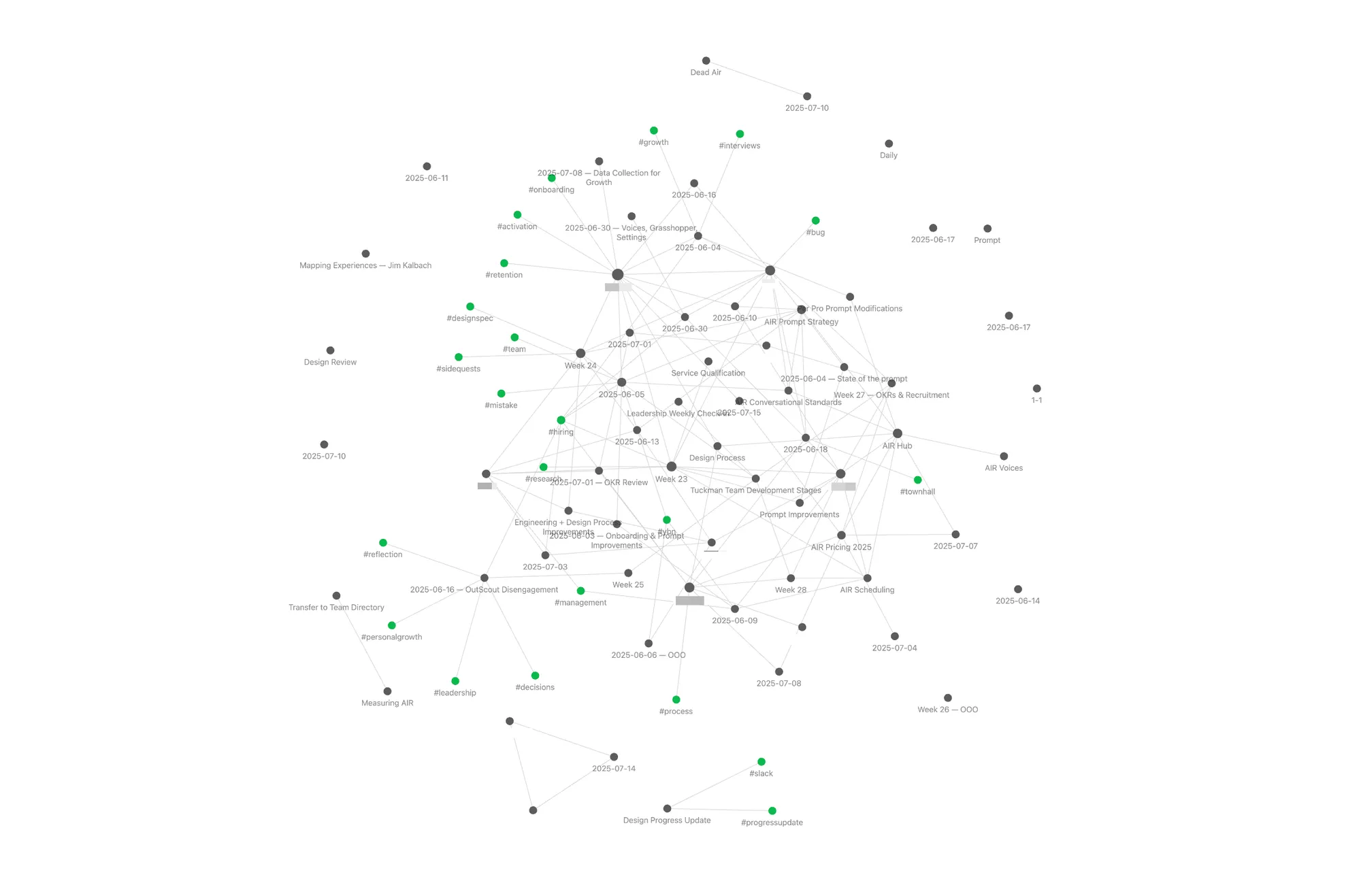
- People: One note per direct report in a folder.
- Date-stamped one-on-ones: Quick bullet notes with links to project docs.
- Graph links: Cross-reference mentions of people, projects, and feedback so nothing falls through the cracks.
When it’s review time, I have a searchable history of meetings, project outcomes, and side conversations.
Supercharging Reviews with AI
To speed up drafting, I leverage an Obsidian → MCP → Claude plugin that turns my notes into a knowledge-base. This only works if you take good notes of course. The benefit is surfacing my own thoughts and content without having to manually sift through hundreds of files.
Workflow:
-
Prompt Claude:
-
Claude returns draft bullets and sources for me to review
-
I review, reword, and add to my living document before sharing.
This hybrid approach saves hours and keeps feedback grounded in my own observations.
Preparation and Reflection
Great reviews take prep. I block:
- Weekly note sprint (30 min): Update one-on-one notes and link new projects. Reflect on team and individual progress. I find the Tuckman model a useful rubric.
- Review prep (60 min): Skim feedback doc, adjust bullets, and draft status updates.
- Review 1:1 (60 mins): Discuss with your direct report. Explain your rationale. Solicit feedback and their thoughts. Do they agree/disagree with your assessment? Do they agree with your goals? Work with them to set new ones. And Note it.
A scheduled deep-dive trumps scrambling the day before. Your future self (and your team) will thank you.
Conclusion
When I first used this format not long after becoming a manager myself, my manager at the time said they almost screenshot it and posted it on LinkedIn as an example of how reviews *should *be done.
When reviews are authentic, designers grow. A living document, anchored in outcomes, plus a dash of AI, makes feedback fast, fair, and forward-looking.