
Every game I stream from my PC to the living room TV feels like I’m running through syrup. The LG OLED sits in a picture-accurate mode I keep for films, and that mode adds just enough input lag to ruin any game that needs quick reactions. The fix is a single setting. The catch is that changing it means digging out the TV remote and navigating menus every single time I sit down to play, and back again when I’m done.
So I automated it. What I built to avoid pressing that one button is, by any honest measure, wildly over-engineered: I forked a game-streaming host, added the ability to generate an API key, and rebuilt a home-automation flow. To change a TV setting.
I regret nothing. Pressing the same button every single time is exactly the kind of busy work a machine should be doing instead of me. The interesting part, as it turned out, wasn’t avoiding the button at all. It was everything I had to decide not to build along the way.
Home Assistant can press the button for me
None of this matters if I can’t change the picture mode without the remote, so the first step was teaching Home Assistant to press the button for me. That means sending the TV the same command the remote does, then dismissing the confirmation dialog it pops up afterwards. Home Assistant’s scripts handle both.
With the Home Assistant community forums and Claude Code, I wrote a script to flip the TV into ‘game mode’. Then I needed a second one to flip it back, identical except for dolbyHdrCinema where the first had dolbyHdrGame. Two scripts that differ by a single word is the kind of copy-paste that breaks the moment you change one and forget the other, so I collapsed them into one and passed the mode in as a variable, {{ picture_mode }}, from Node Red. Don’t repeat yourself.
lg_tv_set_picture_mode:... buttons: - onClick: luna://com.webos.settingsservice/setSystemSettings params: category: picture settings: pictureMode: "{{ picture_mode }}"The cost is a notification and a brief ‘flash’ on screen as, 600ms later, Home Assistant accepts the change for me. A fair trade for not navigating menus every time I sit down to play. A script that can flip the TV is no use until something tells it I’ve actually started a game.
Home Assistant can’t tell a game from Netflix
The script needs a trigger, and the obvious one is the streaming app itself. Home Assistant already knows whether the Apple TV is on, idle, or playing (I use that for the lighting), but it can’t tell me which app is playing. As far as it’s concerned, a game stream looks identical to Netflix, and I only want game mode for the stream.
If the Apple TV integration exposed the active app, this would be one line: if the app is Moonlight, run the automation. It doesn’t, so the trigger has to come from somewhere else.
It can come from Apollo, the host my PC streams from, which knows exactly which clients are connected. Its backend even has an endpoint for it, /api/clients/list, with a ‘connected’ state that the older Sunshine it forked from never had. So the plan was simple: query that endpoint, turn the result into a Home Assistant sensor, and trigger the automation off it. Somewhere in there, avoiding a button press had quietly become a problem about API access.
The data was there; I just couldn’t reach it
The state existed; I just couldn’t get to it from another machine. Apollo only answers API requests that come from the box it runs on, which is a sensible default: the settings page lives there and nothing else needs in. My Home Assistant box is a different machine, so every request it made came back as a 403. The one fact I needed was readable, but not by the thing that needed to read it.
There was a workaround, and it almost worked. Apollo logs you in with a single session cookie, so a script can log in, capture that cookie, and reuse it to call the API. The catch is that Apollo only allows one session at a time: the moment my script logged in, it invalidated the cookie in my browser and dropped me out of the settings page. To read the state I’d built everything around, I had to keep logging out of the thing I was logging into.
Sunshine had API authentication but no connected state; Apollo had the connected state but no way for another device to use it. Neither gave me what I needed.
I forked Apollo instead of waiting for a feature
Apollo is open source, so I didn’t have to file a feature request and wait. I could just add what I wanted with Claude Code. That freedom is also the trap: when the cost of writing code drops to almost nothing, the discipline shifts entirely to deciding what shouldn’t exist.
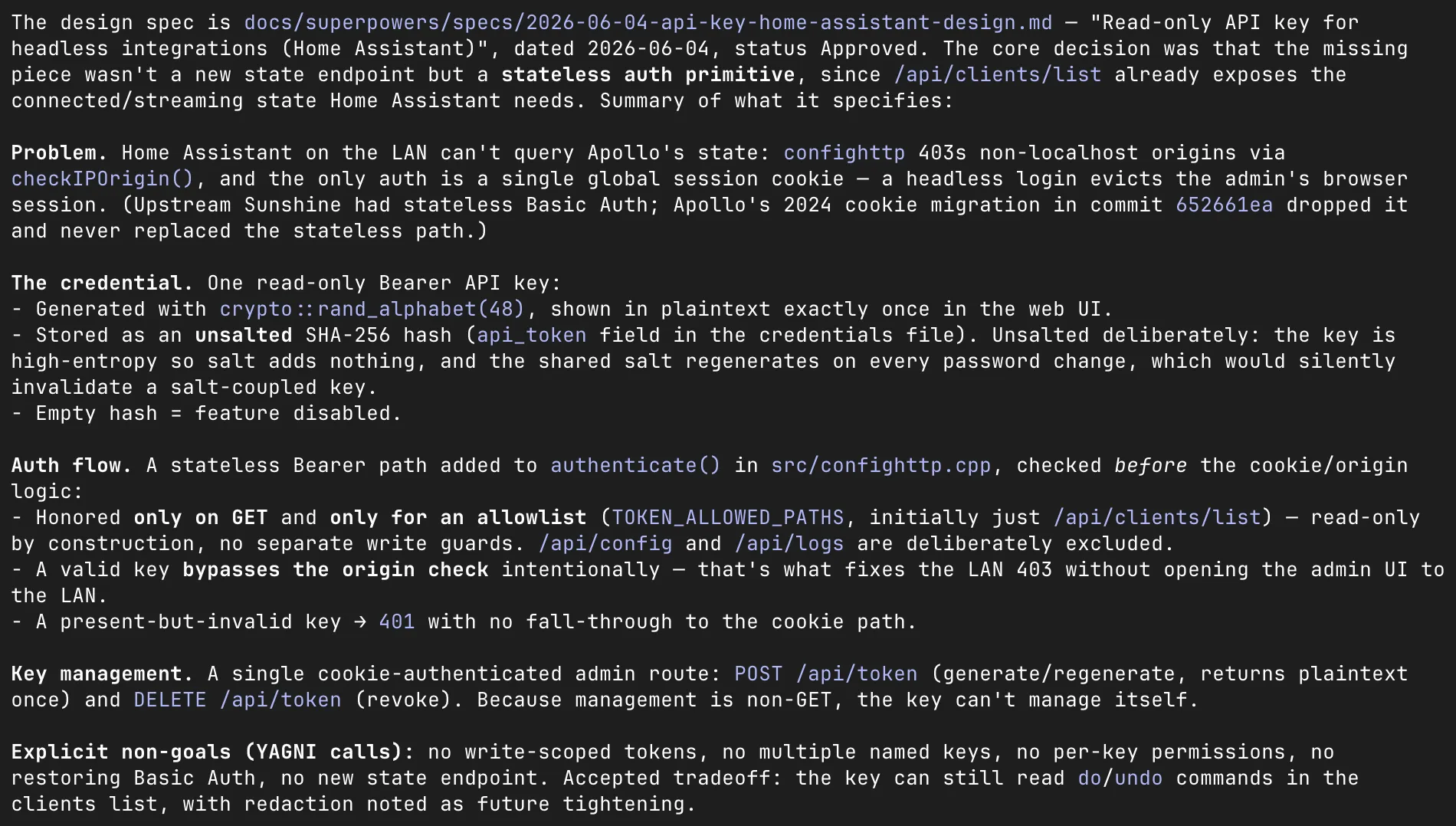
I had Claude explain the codebase, walk the upstream changes inherited from Sunshine, and infer the original author’s intent (the auth work was half-finished, so some of this was reading between the lines of someone else’s abandoned plan). It found its way around the code fluently. But every decision about what should actually ship was mine, and most of those decisions were no.
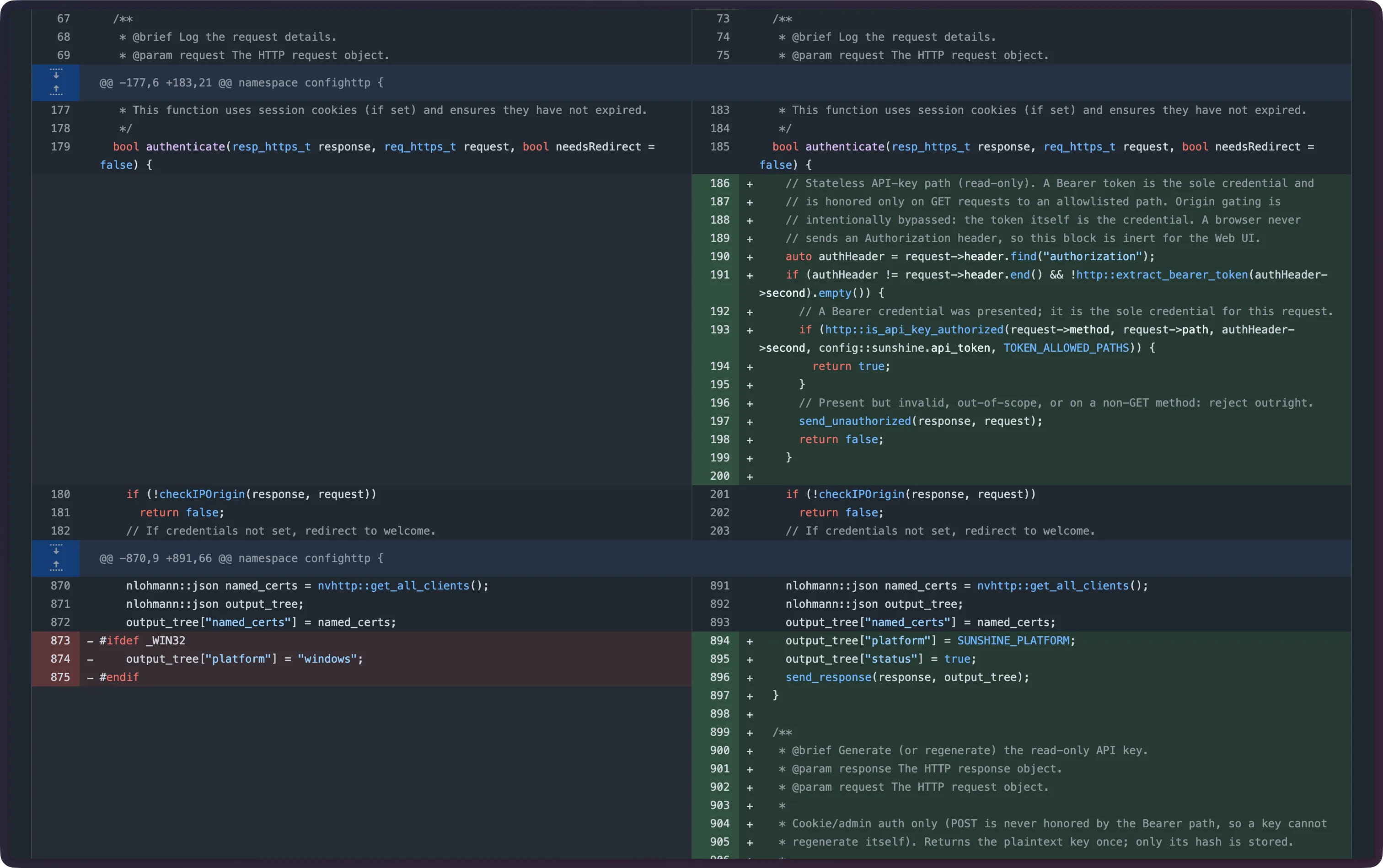
Most of the work was deciding what not to build
No new status endpoint. The connected-client data already existed at /api/clients/list. Building a fresh endpoint would have been solving a problem I didn’t have; the data wasn’t missing, it was just unreachable. Scope collapsed to one thing: authentication.
No resurrected Basic Auth. Sunshine’s old scheme was built for clients: write access, multiple keys, per-key permissions. Tempting, because I might want all of that one day. But ‘might want one day’ is how a TV-remote shortcut turns into a permissions system. I didn’t need any of it to read a single piece of state.
One read-only key, one job. A key that’s going to sit in plaintext in a config file should be able to do the least possible. This one reads state and nothing else: it can’t launch or close apps, change config, or unpair a device. If it leaks, the worst anyone learns is whether I’m gaming.
The whole feature is one panel on Apollo’s existing settings page:
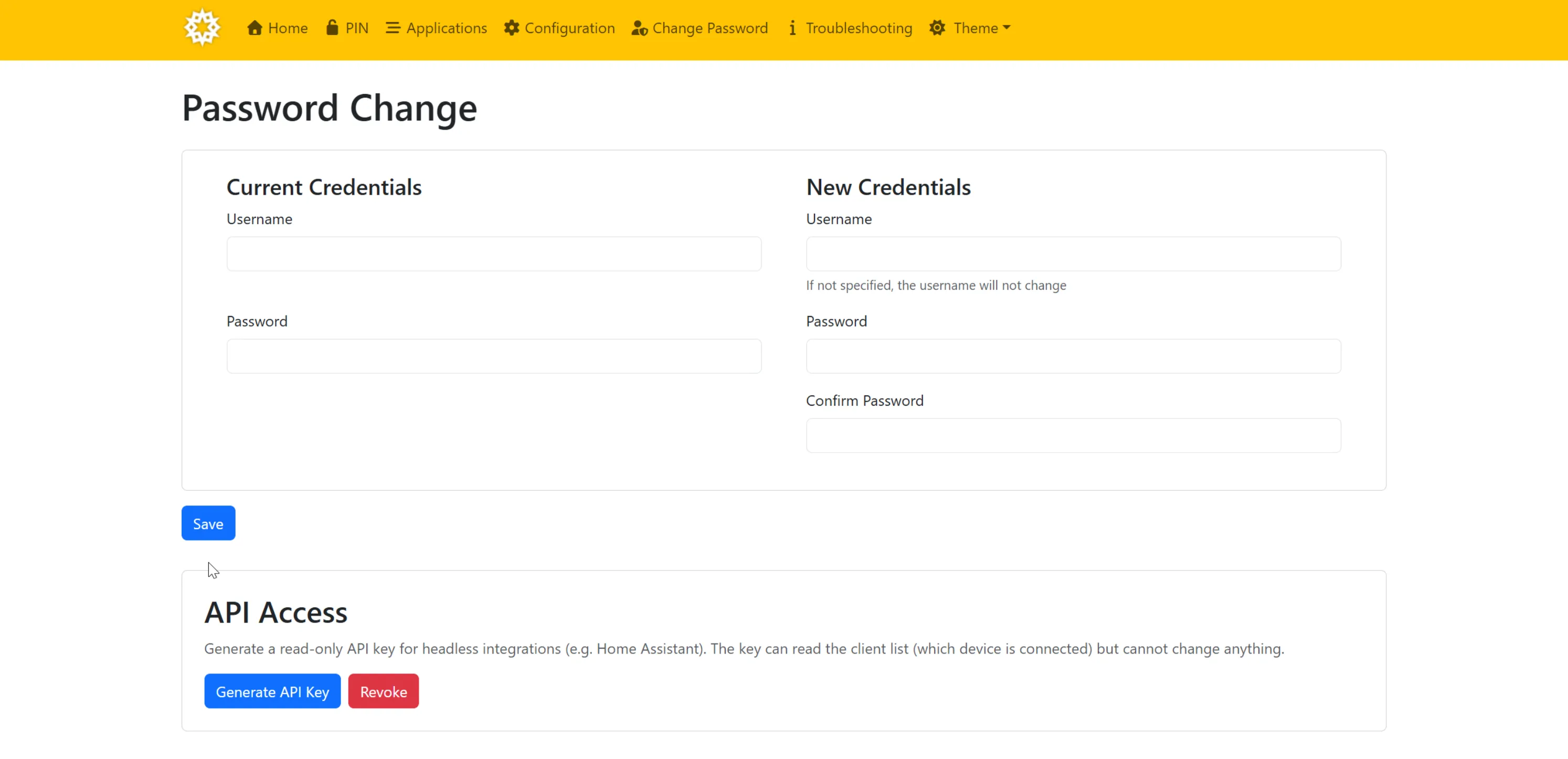
The whole fork is smaller than the feature request I’d have written to ask for it. The hard part of building with AI isn’t generating the code; the code is cheap now. The hard part is having the judgement to throw most of it away before it exists.
Where it stands now
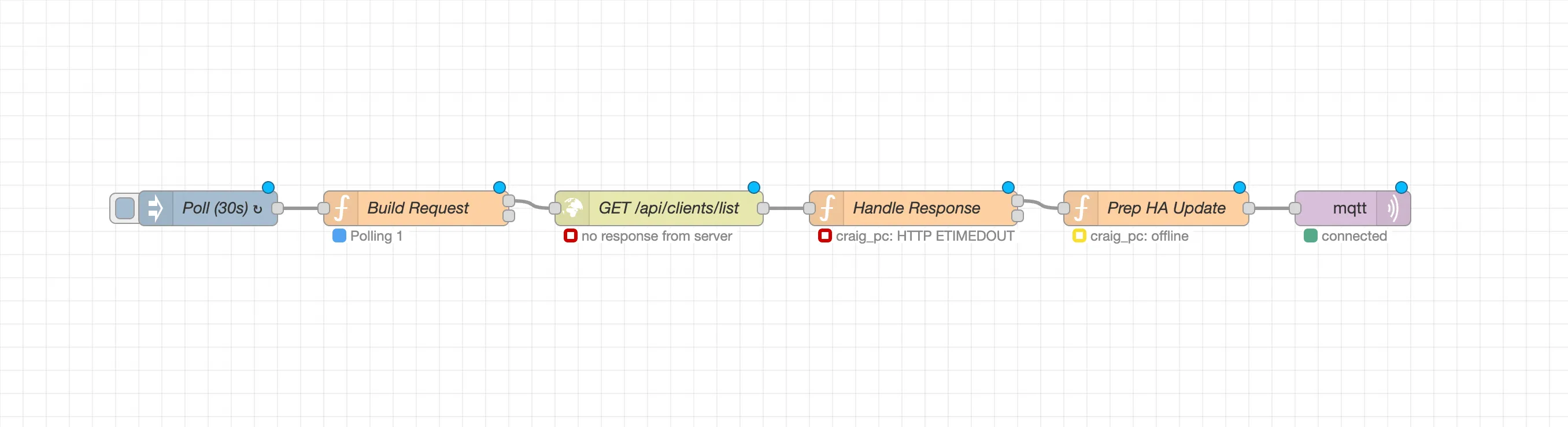
It works. The flow polls both machines every 30 seconds, and each streaming client now shows up in Home Assistant as a proper device I can manage: one that survives restarts and drops to unavailable when its machine sleeps. The OLED flip I started with is the trivial part now, a small automation sitting on top of devices Home Assistant finally trusts.
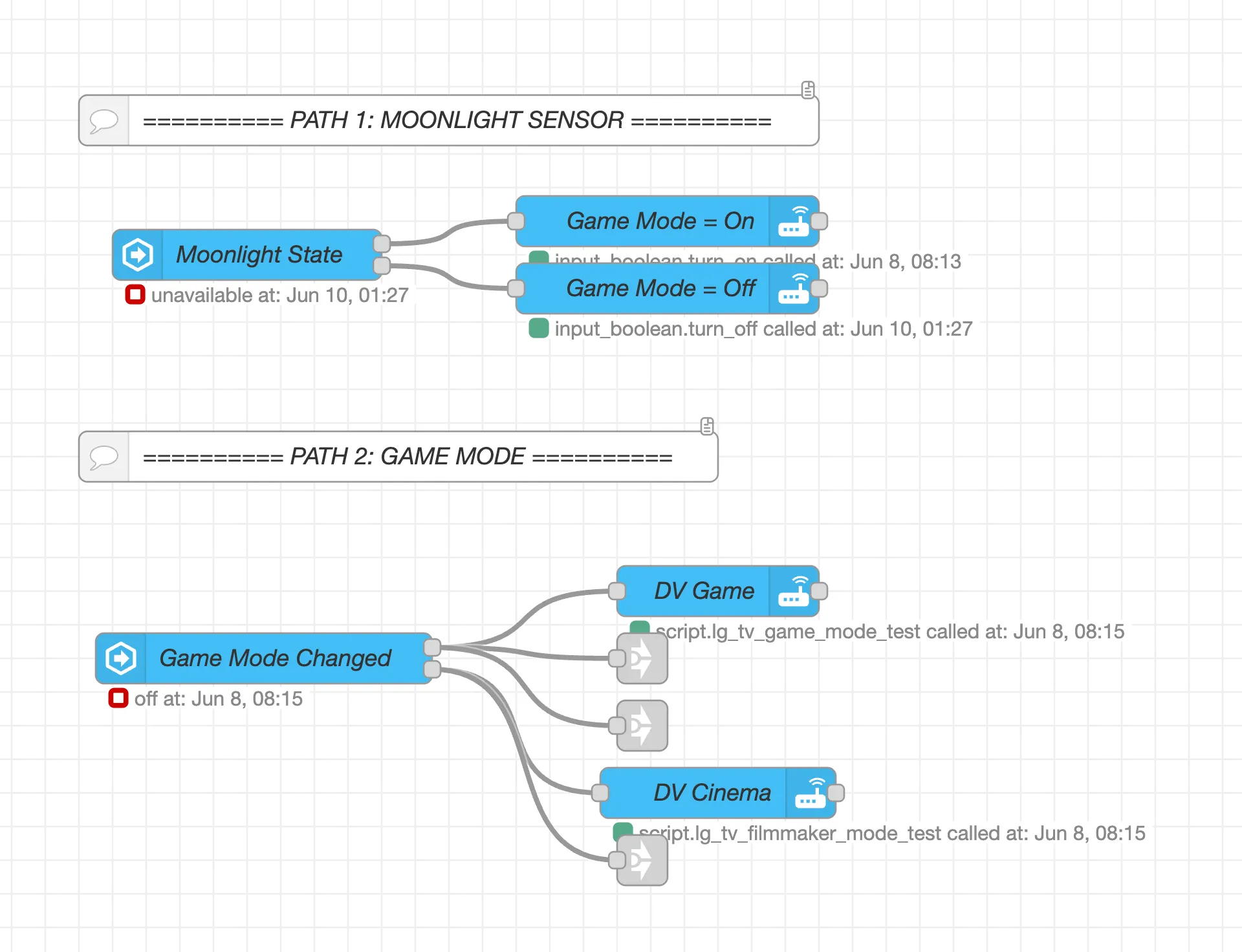
Polling every 30 seconds is good enough on purpose. Twice a minute is plenty for a TV setting, so the first version just asks both machines on a timer. The version I want next stops asking entirely: the host pushes the change the moment a stream starts, over a webhook or a websocket, so Home Assistant hears about a game the instant one begins.
If I plugged a console straight into the TV over HDMI, I’d get this for free: it announces itself with ‘Auto Low Latency Mode’ and the TV flips to ‘game mode’ on its own. But I’m streaming in software, through an Apple TV, and the TV just treats that as another video player so we’re not that lucky.
All of this to avoid pressing one button. The button is busy work, and busy work is what the robots are for. Deciding what they shouldn’t build is still my job.